ImageExplore
Rapid image exploration for pose matching, discovery and inspiration.
ImageExplore is a powerful companion to PoseSearch. From any starting pose, search the site for similar poses and related images across photography, 3D scans, the Muybridge archive and community artwork — all with a single click.
From one image, discover sixty related poses.
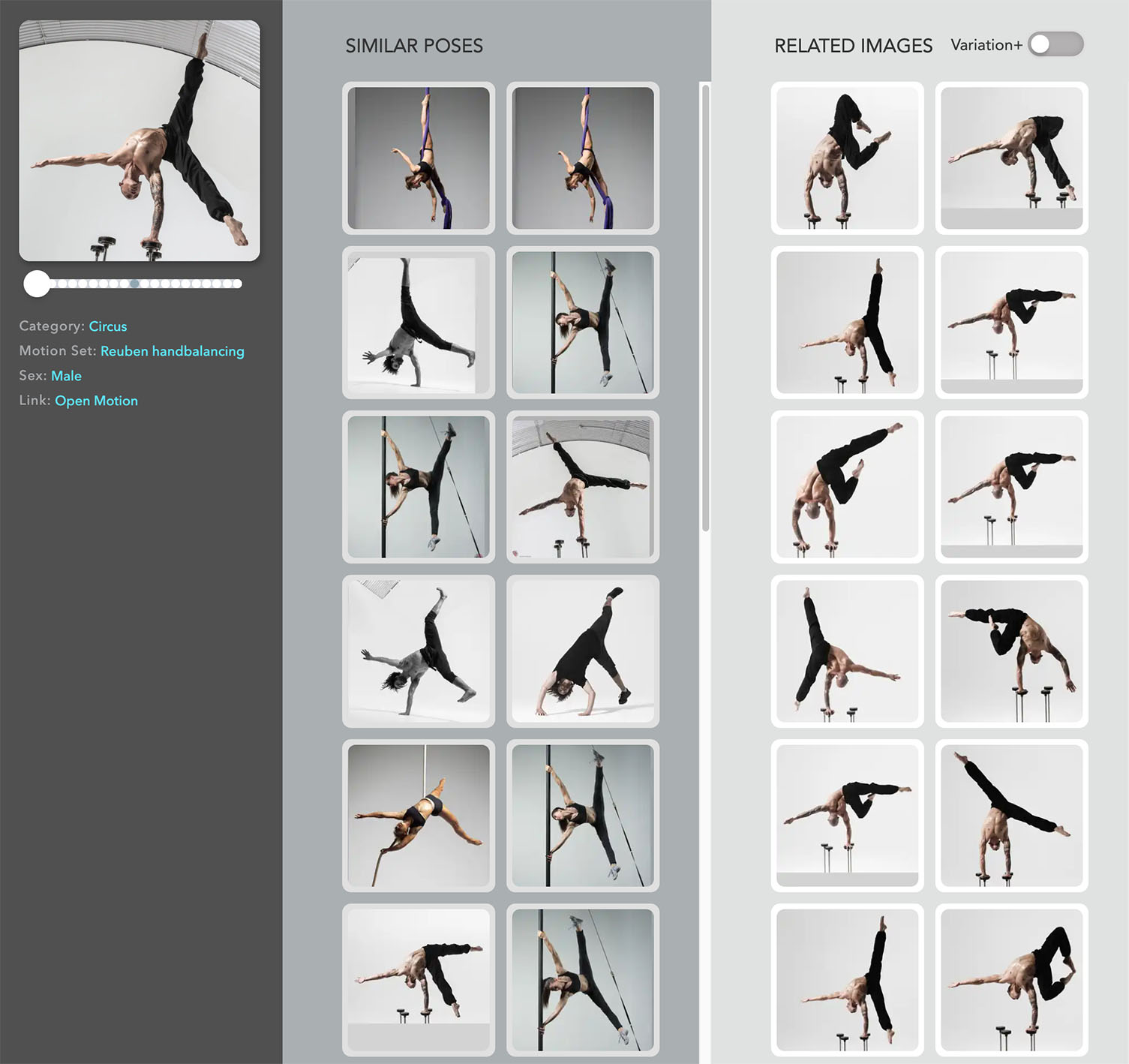
Use ImageExplore to discover variations. It returns the thirty most similar poses from the current module, as well as thirty unrelated poses from the same model.
-
01
Search Image
Your starting pose with adjacent frames loaded into the slider below. Scrub to any new pose and hit the 'Search Similar' icon to search & explore from the new image.
-
02
Image Attributes
Click any blue attribute field to filter the results for this and future searches. For example, you can filter by Category, Set or Sex.
-
03
Similar Poses
The thirty closest poses arranged in order of similarity. Click any thumbnail to view the full-resolution image. If you like what you've discovered you can add it to your Selects tray with the + icon.
-
04
Related Images
These match the "content" of the Search Image. For most searches it returns images restricted to the same Set (i.e. the same model) but in diverse poses. Great for discovering inspiring new poses from the same model, or a new starting point for a new search.
-
05
Variation+
Forces the Related Images to return some images with maximum variation from the Search Image. These are interspersed with the regular results so you might have to scroll down. Use this to find the model's most "different" poses.
Now available to Full & Pro subscribers.
ImageExplore ships today as part of every Full and Professional plan. Open it from the Tools menu, or jump in below.
Launch ImageExplore